2026/06/02(火)Icecast 2.5.0 は FreeBSD ではまともに動作しないので「ダウングレード」した

2026/06/02 13:37 サーバ運営・管理
自分メモ。表題通りです。

Icecast 2.5.0 と ezstream 0.5.6 の組合せは FreeBSD では使えない模様

Icecast は、Webラジオをサービスするにあたって、
おそらく最も使用されているサーバソフトウェアと思われます。
ところが、 Icecast 2.4.4 を Icecast 2.5.0(FreeBSD Ports での最新版)にアップデートすると、
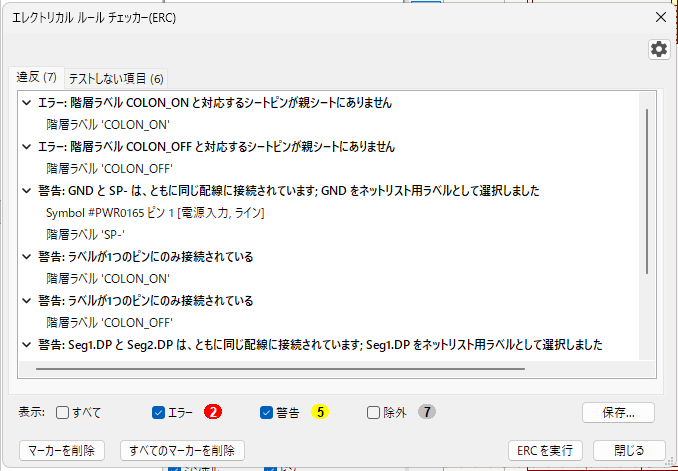
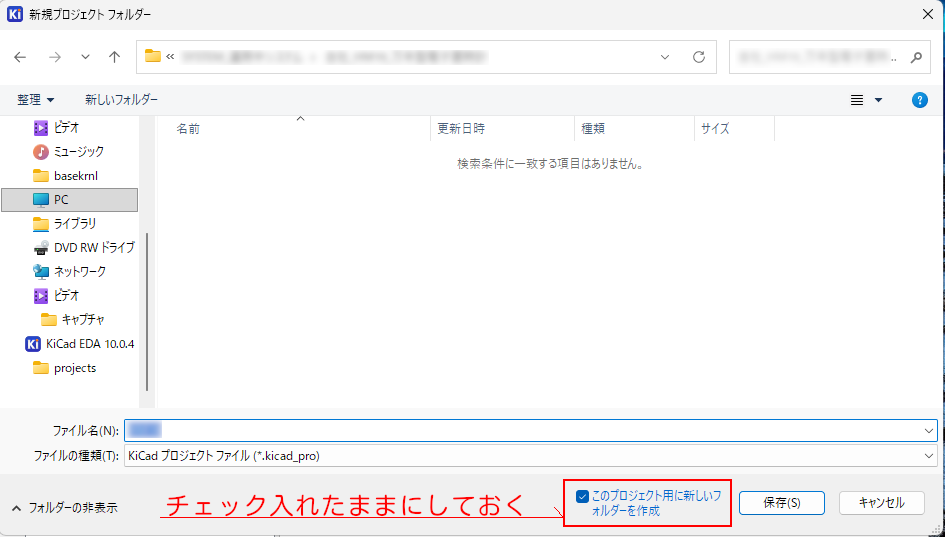
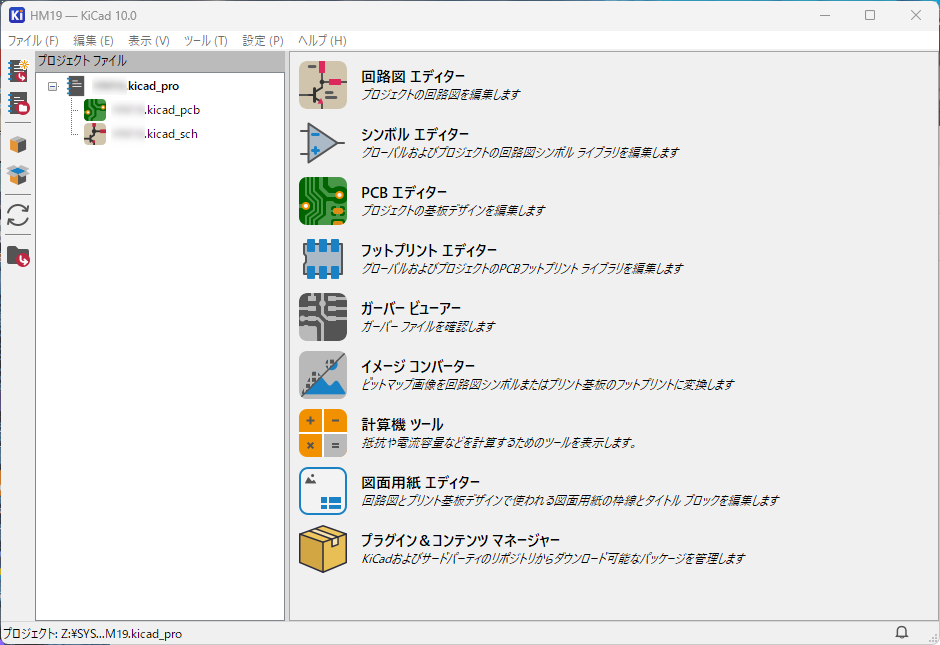
こうなります ↓
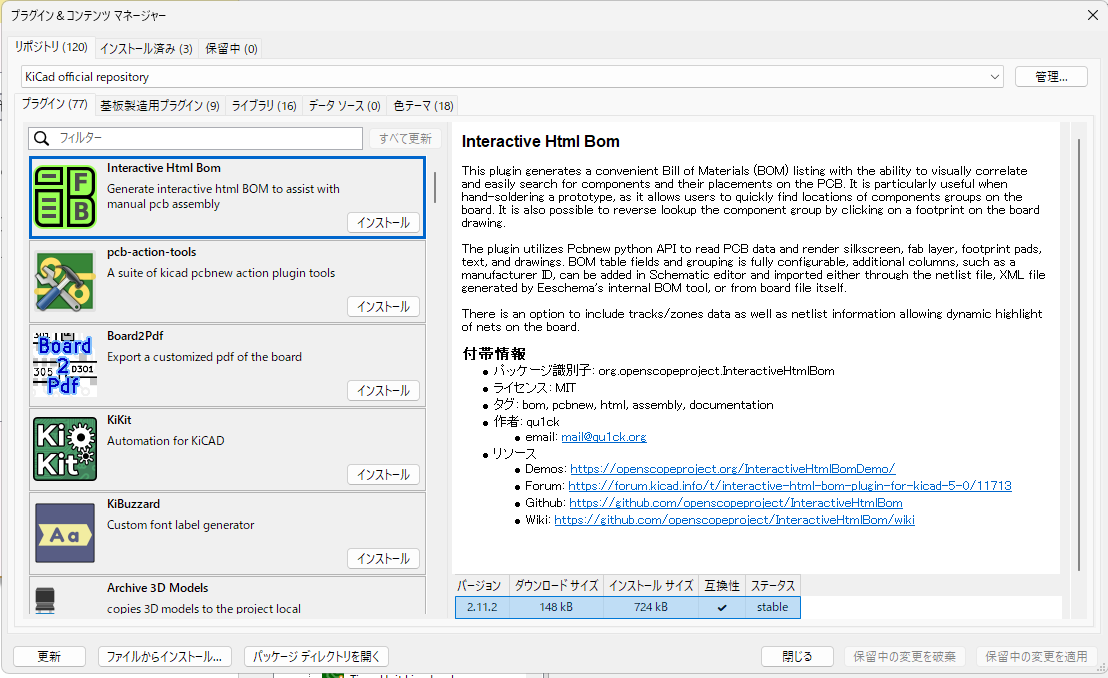
20260602_2.jpg
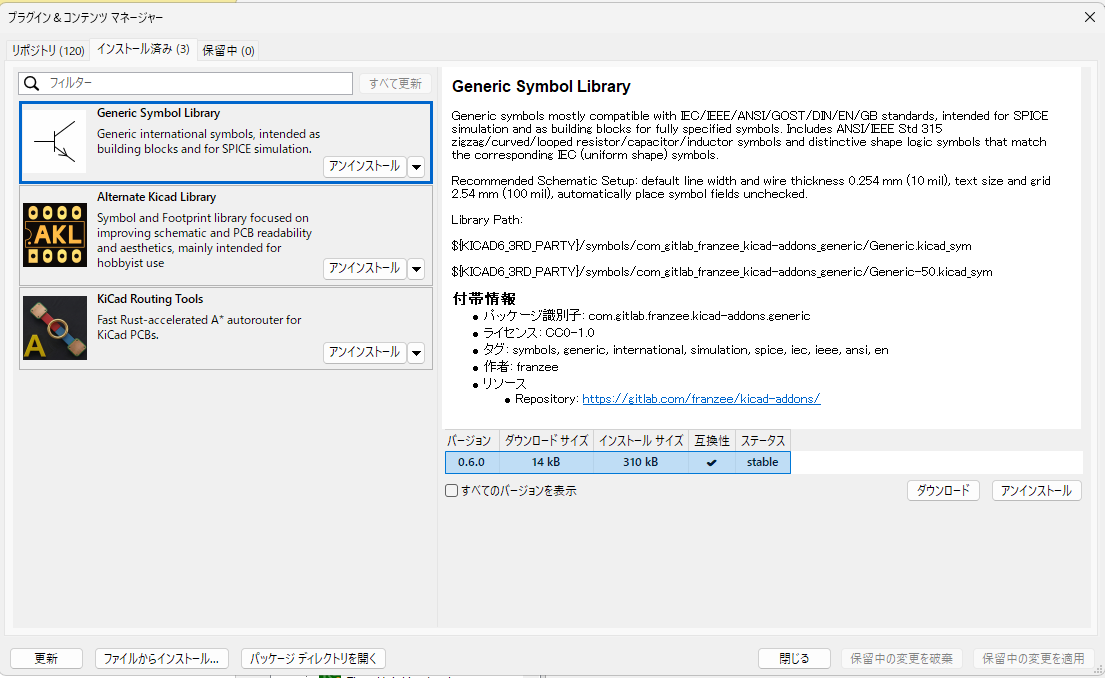
20260602_1.png


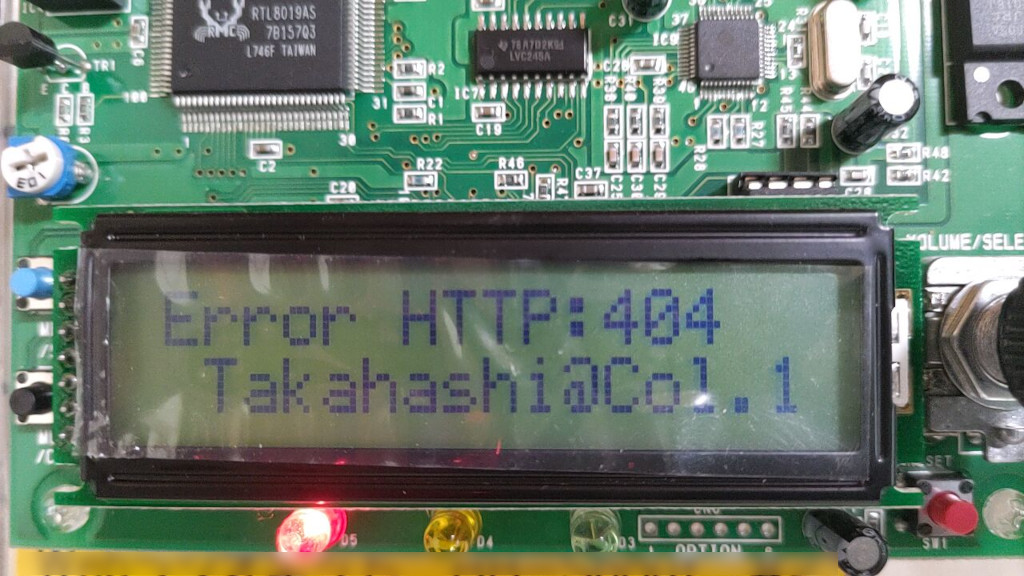
「404 File Not Found」という謎のエラー。
動作ログを眺めると
EROR admin/admin_handle_request Error parsing command string or unrecognised command: \x21POKE
EROR util/util_http_select_best Input string does not parse as KVA. Selecting first option.
というのが残っています。
どうも、 '!POKE' (「\x21」は「!」の文字コードです)いうコマンド(?) が ezstream 側から発生しており、
Icecast 2.5 側で「意味不明」として処理されているのが直接の原因らしいです。

FreeBSD 14/15 で Webラジオストリーミングをする場合、
# pkg info | grep icecast

ezstream-0.5.6_11              Command line utility for streaming to icecast servers
icecast-2.5.0,1                Streaming mp3/ogg-vorbis audio server
このバージョンの組み合わせで Ports/Package で提供されており、ezstream の古さが際立っている感はあります。(ezstream の最新バージョンは 1.0.2)

おそらく、ezstream 1.0.2 を「ソースコードから適切にインストール」すればよいのでしょうが、
どうも上手くいきません・・・・・・

なのでIcecast 2.4.4 に「ダウングレード」することにしました。
あまり経験がないので、以下はその手順です。他のPorts でも応用が利きます。

Icecast 2.5.0 を ダウングレード

まず、 Ports から、 ports-mgmt/portdowngrade と、devel/subversion をインストールします。
# cd /usr/ports/ports-mgmt/portdowngrade
# make install clean 
# cd /usr/ports/devel/subversion
# make install clean
# rehash
# cd
実際、portdowngrade は、subversion が無いと動作しない(依存関係にある)のですが、
自動で依存関係のインストールをしないため、手動で2つのPorts をインストールします。
最後の cd は、ログインユーザのホームディレクトリに移動するためのものです。
一連の動作は root ユーザで行うとトラブルなく進みます。
次に
# portdowngrade audio/icecast | more
 または
# portdowngrade audio/icecast > (好きな名前のファイル名)
として、更新リビジョン履歴を取得・表示します。
通常、表示画面に収まらない分量なので、 上記のやりやすいほうでどうぞ。
こんな感じで、リビジョン情報が取得できます:
Choose a revision from this list and run /usr/local/sbin/portdowngrade audio/icecast revision
------------------------------------------------------------------------
r514128 | bapt | 2019-10-09 19:20:58 +0900 (2019/10/09 (水)) | 2 lines

Drop the ipv6 virtual category for a* category  as it is not relevant anymore

------------------------------------------------------------------------
r508834 | mat | 2019-08-14 01:00:39 +0900 (2019/08/14 (水)) | 2 lines

Convert to UCL & cleanup pkg-message (categories a-c)

------------------------------------------------------------------------
r484332 | sunpoet | 2018-11-07 06:09:42 +0900 (2018/11/07 (水)) | 8 lines

Update to 2.4.4

- Update MASTER_SITES
- Fix LIB_DEPENDS
- Use USES=gnome

Changes:        https://gitlab.xiph.org/xiph/icecast-server/raw/release-2.4.4/ChangeLog

------------------------------------------------------------------------
r483913 | sunpoet | 2018-11-04 07:15:38 +0900 (2018/11/04 (日)) | 5 lines

Move audio/icecast2 to audio/icecast

- Clean up Makefile
- Bump PORTREVISION for package change

------------------------------------------------------------------------
r478138 | sunpoet | 2018-08-27 03:41:03 +0900 (2018/08/27 (月)) | 2 lines

Update WWW
上記は、最初の一部です。直前の Icecast リビジョンは r514128 のようなので、このリビジョン(バージョン)へダウングレードします。

次に、該当リビジョンの Ports 取得を行います:
# portdowngrade audio/icecast r514128
コマンドを実行したカレントディレクトリに取得した Ports ディレクトリが作成されることに注意してください。
/usr/ports ディレクトリツリー配下で、 portdowngrade コマンドを実行しないようにしましょう。
本例示の場合は、カレントディレクトリに icecast ディレクトリが作成され、これが Ports ディレクトリになり
ます。

その次に、いよいよダウングレード作業ですが、
ここでの注意点は、「現在のリビジョンを先ず消去すること」です。
以下のように手順を進めます:
# cd /usr/ports/audio/icecast
# make deinstall
# cd 
# cd icecast
# make install clean
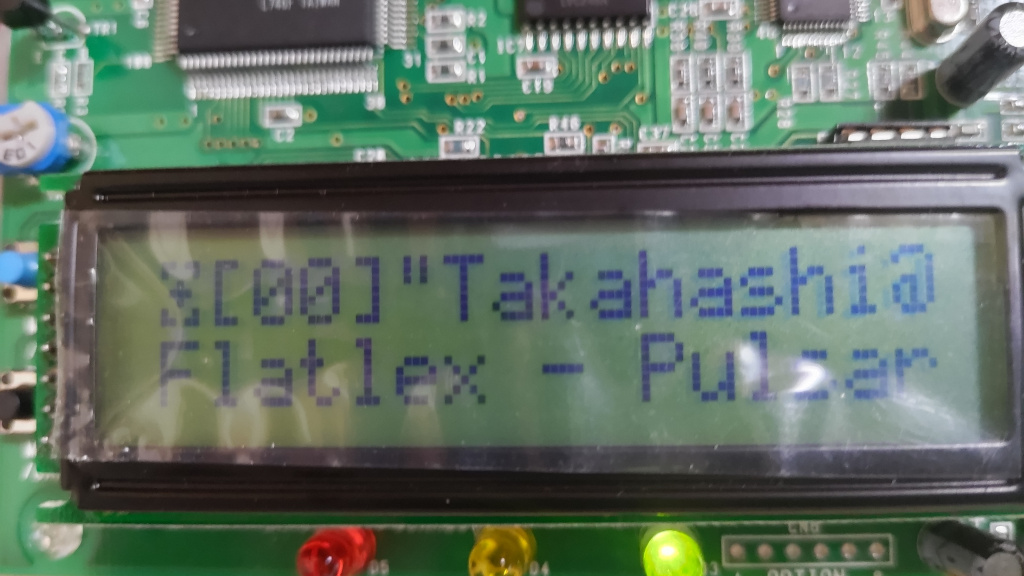
これで、icecast は 2.4.4 にダウングレードされ、ezstream 0.5.6 との組み合わせで不具合は解消しました。
こんな感じ ↓
# pkg info | grep icecast

ezstream-0.5.6_11              Command line utility for streaming to icecast servers
icecast-2.4.4,1                Streaming mp3/ogg-vorbis audio server
20260602_4.jpg
20260602_3.png


この Icecast ストリーミングは、エンドレスで数十曲の音楽垂れ流しをしていますが、
著作権上の問題があり非公開です。個人で聴取するためと、技術的検証目的で稼働させています。

最後に、ちょっと気になるのですが、最近の Ports は、確か git による管理に移行していて、 subversion での管理は過去のものだったような??

2026/05/27(水)dovecot 2.4.3 は FreeBSD15 で使える

2026/05/27 14:54 サーバ運営・管理
dovecot 2.4.2 は、何故か構築自体が出来なかったが、dovecot 2.4.3 は大丈夫です。
最近、旧バージョンからの入れ替えで運用開始しましたが、特に問題は起きていないようです。

[2026/06/02 追記]
dovecot 2.4.3 を SASL にしている場合、
認証形式のうち、DIGEST-MD5 が正常に機能しない場合があることを確認しています。
dovecot 2.4.3にて DIGEST-MD5 の実装に何かしらの変化か問題があるものと認識しています。

因みに dovecot は、メールサーバにインストールし、POP3/IMAP4 サーバとして機能させる為のものです。

ソースコードを /usr/local/src ディレクトリ上に置いた gz アーカイブから展開し、
# setenv CPPFLAGS '-I/usr/local/include -I/usr/include'
# setenv LDFLAGS '-L/usr/local/lib -L/usr/lib'
# cd dovecot-2.4.3
# ./configure --sysconfdir=/usr/local/etc/ --localstatedir=/var --with-ldap=yes --with-ssldir=/usr --with-lua --with-pcre2 --without-bsdauth
として、
# gmake
# gmake install
で大丈夫です。dovecot 2.4.1 からのアップデートでは、特に dovecot.conf 群の変更は必要無いと思います。
一部、configure のオプションを変更していますが、Warning が出るので、適宜変更しています。

また、gmake 進行途上で
*** Warning: Linking the executable test-smtp-client-errors against the loadable module
*** libssl_iostream_openssl.so is not portable!
という、メッセージが時折出力されますが、FreeBSD14,FreeBSD15 上での dovecot 2.4.3 運用においては、特に支障ないという見解になっています。

2026/05/25(月)FreeBSD Ports における FLAVOR の件・・・

2026/05/27 15:39 サーバ運営・管理
自分メモで記述。。
この件について、正直なところ、まともな理解をしていなかった訳だが・・・

FLAVOR (フレーバ) とは、簡単に述べると『構築選択メニュー』のようなものです。
最も判りやすいのは 「X11 対応あり」か「X11 対応無し」かを、選択する感じです。

例えば、ImageMagick 7.x を Ports にて X11 対応無しでインストールする場合、
 # cd /usr/ports/graphics/ImageMagick7
  # make install FLAVOR=nox11
でインストール出来ます。
FLAVOR を指定しない場合、ImageMagick7 の場合は、「X11 対応あり」で構築が進んでしまい、
X11 を使わない場合に、大量の不要ソフトウェアがインストールされてしまいます。

また、アップデートする場合、
多くの方々が使われていると思われる、portupgrade は、今だに FLAVOR 付き Ports には対応していません。
手っ取り早く、FLAVOR 対応済の、portmaster を使用することになります。

で、この FLAVOR は、Ports 毎に種別や有無があり、どのような FLAVOR があるのかを確認するには、各々の Ports ディレクトリ直下で
 # make pretty-flavors-package-names
を実行します。ImageMagick7 の場合は、おもむろに上記を実行すると、
 x11: ImageMagick7-7.1.2.23
 nox11: ImageMagick7-nox11-7.1.2.23
のように出力され、x11 と nox11 の2つのFLAVOR が確認出来ます。
一方で FLAVOR が設定されていない Ports の場合は、
 no flavor: perl5-5.42.2
のように出力されます。
しかし!! これは覚えにくい!!
何故、「pretty-flavors-package-names」・・・なんて、こんな長ったらしいのか!
素直に make flavors とかにすればよいのに、、とか思ってしまう。

2026/04/28(火)これぞ「はんかくさい」奴

2026/04/28 01:32 はんかくさい
・先ず、こういうことをやらかすのを「ハッカー」とは言わない。
 「サイバーテロリスト」と称するほうが妥当。
・チャットは全くやらない。メッセンジャー・・・何ですか。美味しいのかな? 使ってないし。
・アダルトコンテンツサイトの熱心なサポータ?? そういう趣味は無いかなぁ(笑

まぁ言いたいことは判ります。「カネを脅して騙し取りたい」ということは良く判るね。
でも、同じようなメールを受けて焦る方々は少数居られると思うので、この機会に注意喚起をしておきます。
もし同じような電子メールを受けて不安であれば、警察に相談もありかと思います。
万が一、千歩譲って事実だと仮定しましょう。ならば、これは誰が見ても脅迫罪ですね。
電子メールというのは、構造上または技術的な面で詐称が比較的簡単なのは、知っておくと有益です。

以下、「はんかくさい」メールをほぼそのまんま晒しておきます。
件名:「未決済分の支払いを御見逃しなく。今月分勤務の支払いを完了してください。」

こんにちは!

恐縮ながら、悲しいニュースをお伝えします。
約1、2ヶ月前に、あなたがネットの閲覧にお使いのデバイス全てに対する、完全なアクセスの獲得に私は成功しました。
獲得してからは、継続的にあなたのインターネット活動を観察し始めたのです。

ご参考までに、下記に経緯を記載しておきますので、お読みください。
まずは、メールアカウントの長いリストへの特別なアクセス権を、私はハッカーから購入しました。(最近では、ネット上で取り引きして普通に購入できます。)
明らかに、あなたのメールアカウント(○○@○○)にログインすることは難しくありませんでした。

次の行動は、同じ週に、メールへのログインにご使用されている全デバイスのオペレーションシステムにトロイの木馬をインストールしました。
正直なところ、作業はかなりスムーズに進みました。(受信ボックス内のメールに記載されたリンクを、ご親切に何度かクリックしてくださったからです。)
天才はあなたか私のどちらかですよ。 ('^')

トロイの木馬のお陰で、デバイスの全コントローラー(あなたのビデオカメラ、キーボード、マイク等)へのアクセス権を私は獲得しました。
その結果、写真、Webの閲覧履歴等、さまざまなデータを楽に自分のサーバーにダウンロードすることができました。
さらに、メールやチャット履歴、メッセンジャー、連絡先リスト等を含む、頻繁にお使いのSNS全てに私はアクセスしています。
独自性のある私のウイルスは常に署名を更新しているため、どんなウイルス対策ソフトでも検知されません。(ドライバーに作用するからです。)

今回の連絡があるまでずっと私の存在が検知されなかった理由は、既にご理解いただけたかと思います…。

あなたに関係する全てのマテリアルを集めている最中に、エッチなアダルトコンテンツを集めているサイトの熱心なサポーターであり、頻繁なユーザーだということが分かりました。
AVサイトに訪問することも、刺激的な動画を見ることも、忘れがたい快楽に耐えることも、本当に大好きなようですね。
事実、どうしてもあなたがメインで登場する卑猥な一人エッチの瞬間を録画して、あなたのマスタベーションと射精シーンを露わにする動画をあとから編集して作らずにはいられませんでした。

もしまだ私の言うことが信じられないのなら、ただマウスを1、2度クリックするだけで、全ての動画をご友人、同僚、親戚を含む全てのお知り合いに送ることができます。
さらに、この動画コンテンツを誰でも閲覧できるように、オンライン上にアップロードすることも可能です。
普段見ていらっしゃる動画に、どんなに淫らなものが表示されているのか(私が言いたいことはお分かりのはずです)を考えても、公開なんてことは絶対に起きてほしくないことでしょう。面目丸潰れになるはずです。

この問題を解決する方法は以下の通りです。
私の口座に20万円 を送金してください。(送金日の為替率に応じた20万円相当のビットコイン)そうすれば、送金を受け取り次第、すぐに遅れることなく淫らな動画を削除します。
そのあとは、何事もなかったかのように振る舞いましょう。さらに、トロイの木馬のソフトウェアを無効にし、お使いのデバイス全てから削除することを約束します。私は約束を守る人なので、何も心配は要りません。

比較的値下げされた価格なので、本当に悪くない話のはずです。あなたのプロフィールとトラッフィックが、長期間ずっと監視されていたことを考えてみてください。
もしビットコインの購入方法や取引方法が不確かな場合は、全てオンライン上で検索できます。

ご参照用に私のビットコインウォレットは次の通りです: 17d54zhCxYjVDduY6uBK1Q1Eqy22jDK6dJ
48時間(2日間)が猶予でカウントダウンはこのメールを開いた時点で開始します。

下記には覚えておくべきこと、避けるべきことが記載されています。
> 私のメールに返信しても意味がありません。(このメールと返信アドレスは、あなたの受信ボックス内で作成されているからです。)
>
警察や他の警備会社に通報しても意味がありません。さらに、この情報を絶対にご友人と共有しないでください。もし私がそれを知ると、あなたのエッチな動画はすぐに公開されます。
(私のスキルを思い出してください。私はあなたの全てのシステムをコントロールし常に監視しているので、情報を共有しているかどうかを知るのは簡単です。)
> 私を探すのも無意味です。絶対に見つからないからです。仮想通貨の取引は完全に匿名で追跡不可能です。
>
OSをデバイスにインストールし直したり、デバイスを捨てたりしても意味はありません。あなたがメインで登場する全ての動画はリモートサーバーに既にアップロードされているので、それでは問題解決にはなりません。

気になっているであろう事について:
> 送金が私に届かないこと。
ご安心を。私はすぐに何でも追跡できるので、送金が完了したことは必ず分かります。あなたが行ったすべての活動を断続的に追跡しているからです。(私のトロイの木馬ウイルスは、TeamViewerのように全てのプロセスを離れた場所から管理します。)
> 私のウォレットにお金を送った後でも、あなたの動画が散布されるかもしれないこと。
お金を無事いただいた後も面倒をかける価値はないので、そこは信じてください。その上、散布することが目的なら、既に行なっているはずです!

分かりやすく取引を行いましょう!

最後に、1つおすすめしたいことがあります…今後、似たような不快なことには関わらないようにしてください!
私から言えることは、全てのパスワードを頻繁に変更することは大切です

2025/11/06(木)dovecot 2.4.2 がリリースされたが・・・・

2025/11/06 02:21 サーバ運営・管理
どう頑張っても構築自体が出来ない。
ソースコードを /usr/local/src ディレクトリ上に置いた gz アーカイブから展開し、
# setenv CPPFLAGS '-I/usr/local/include -I/usr/include'
# setenv LDFLAGS '-L/usr/local/lib -L/usr/lib'
# cd dovecot-2.4.2
# ./configure --sysconfdir=/usr/local/etc/ --localstatedir=/var --with-ldap=yes --with-ssldir=/usr --program-transform-name=gsed --with-libbsd --without-bsdauth --without-pam
として、
# gmake
を実行・・・  数分後、
  CCLD     test-lib
gmake[4]: ディレクトリ '/usr/local/src/dovecot-2.4.2/src/lib' から出ます
gmake[3]: ディレクトリ '/usr/local/src/dovecot-2.4.2/src/lib' から出ます
Making all in lib-regex
gmake[3]: ディレクトリ '/usr/local/src/dovecot-2.4.2/src/lib-regex' に入ります
  CC       test-regex.o
  CC       regex.lo
  CCLD     libdregex.la
gmake[3]: *** 'test-regex' に必要なターゲット '-L/usr/local/lib' を make するルールがありません.  中止.
gmake[3]: ディレクトリ '/usr/local/src/dovecot-2.4.2/src/lib-regex' から出ます
gmake[2]: *** [Makefile:600: all-recursive] エラー 1
gmake[2]: ディレクトリ '/usr/local/src/dovecot-2.4.2/src' から出ます
gmake[1]: *** [Makefile:733: all-recursive] エラー 1
gmake[1]: ディレクトリ '/usr/local/src/dovecot-2.4.2' から出ます
gmake: *** [Makefile:575: all] エラー 2
となるんです。
当方の固有環境の原因か、FreeBSD 固有の環境要因か切り分けと調査を試みるも、色々試行錯誤しても判らない。
コンパイルの最初のほうで出るので、全く構築になっていない。

これとは全く別件事象で、Linux環境でもコンパイルエラーになるというのを、本家サイトで確認。
どうも最新のCコンパイラにて、 src/lib/unicode-transform.c がコンパイルエラーになるということらしいです。
[https://dovecot.org/mailman3/archives/list/dovecot@dovecot.org/thread/DJTESZXLEZS3WHDGSXX26GIRBGWTHN3Y/]

ということで、現時点で FreeBSD にて dovecot 2.4.2 は『使えない』という事態になっています。

2025/06/04(水)milter-manager は OpenDMARC を自動検出しない!

2025/06/04 04:57 サーバ運営・管理
最近気づいたんですが、Postfix 側の milter インタフェースも安定してきていて、
複数の milter を直感的に指定できるようになっていたり(当初から?)しているので、milter-manager を使う出番はそろそろ・・・
という状況ですが、一度にあれもこれもカスタマイズ出来ないので、milter-manager を使い続けているわけですが・・・

最初は、milter-manager 経由で動作させている OpenDKIM は機能しているのに、どう頑張っても OpenDMARC が付けてくれるはずのメールヘッダが一向に付かないので悩んでいました。
OpenDMARC を milter-manager 経由で稼働させている実績はどうやら一般的に皆無で、マイナーな milter なのか、と思ってたりしましたが・・・

そもそも、milter-manager に OpenDMARC milter が識別されているのかどうかになります。
なので、おもむろに
# /usr/local/sbin/milter-manager -u milter-manager --show-config
を実施すると・・・
# /usr/local/lib/milter-manager/binding/lib/milter/manager/detector.rb:37
define_milter("milter-opendkim") do |milter|
  # /usr/local/lib/milter-manager/binding/lib/milter/manager/detector.rb:45
  milter.connection_spec = "local:/var/run/milteropendkim/dkim-milter"
  # default
  milter.description = nil
  # /usr/local/lib/milter-manager/binding/lib/milter/manager/detector.rb:38
  milter.enabled = true
  # default
  milter.fallback_status = "accept"
  # default
  milter.evaluation_mode = false
  # default
  milter.applicable_conditions = []
  # /usr/local/lib/milter-manager/binding/lib/milter/manager/detector.rb:40
  milter.command = "/usr/local/etc/rc.d/milter-opendkim"
  # /usr/local/lib/milter-manager/binding/lib/milter/manager/detector.rb:41
  milter.command_options = "start"
  # default
  milter.user_name = nil
  # default
  milter.connection_timeout = 297.0
  # default
  milter.writing_timeout = 7.0
  # default
  milter.reading_timeout = 7.0
  # default
  milter.end_of_message_timeout = 297.0
end
は、出てくるが、milter-opendmarc は出てきません。つまり、認識されていなかった。。orz...
ここから、自動認識させるための試行錯誤が始まります。

先ず、/usr/local/etc/milter-manager/defaults/freebsd.conf を修正してみます:
33行目あたりに、
  ["clamav-milter", []],
  ["milter-dkim", []],
  ["milter-opendkim", []],
  [
    "spamass-milter",
    [
      "Remote Network",
      "Unauthenticated",
      "No Stress",
    ],
  ],
とあるので、["milter-dkim", []] とある行の下に、 ["milter-opendmarc", []], を追加し、
  ["clamav-milter", []],
  ["milter-dkim", []],
  ["milter-opendkim", []],
  ["milter-opendmarc", []],
  [
    "spamass-milter",
    [
      "Remote Network",
      "Unauthenticated",
      "No Stress",
    ],
  ],
のようにします。これで、
# /usr/local/sbin/milter-manager -u milter-manager --show-config
を実施すると、"milter-opendmarc" は識別されるようになりました。
注意点としては、FreeBSD の場合、/usr/local/etc/rc.d 配下のスクリプトファイル名を milter-opendmarc にし、実行権を与えておくようにしておくことが必須です。

これで解決か?と思ったんですが、
今度はメールを受信する度に /var/log/maillog に
milter-manager[53830]: [egg][error] must set connection spec: milter-opendmarc
という、エラーが出て OpenDMARCは動作しません。再び、
# /usr/local/sbin/milter-manager -u milter-manager --show-config
とすると、
# /usr/local/lib/milter-manager/binding/lib/milter/manager/detector.rb:37
define_milter("milter-opendmarc") do |milter|
  # /usr/local/lib/milter-manager/binding/lib/milter/manager/detector.rb:45
  milter.connection_spec = nil ← 注目
  # default
  milter.description = nil
  # /usr/local/lib/milter-manager/binding/lib/milter/manager/detector.rb:38
  milter.enabled = true
  ・・・・
要するに、milter-manager からは、接続先不明状態という状況。
幸いにも OpenDKIM が機能しているので、これを手掛かりに 自動検出スクリプトの修正を行いました。。。

先ず、/usr/local/lib/milter-manager/binding/lib/milter/manager にディレクトリを移動します:
修正したのは、
detector.rb
freebsd-rc-detector.rb
の2つ。新規に opendkim-config-parser.rb を参考に、 opendmarc-config-parser.rb を追加で作成しています。
結構あちこち修正したので、差分を提示しておきます。
1) detector.rb
※ [2026/05/27 追記] 例示の diff は milter-manager 2.2.7 のもので、 2.2.9 では数行前後しています。
--- detector.rb.old 2024-08-12 05:01:29.000000000 +0900
+++ detector.rb.new 2025-06-03 23:53:01.772724000 +0900
@@ -16,6 +16,7 @@
 require 'milter/manager/clamav-milter-config-parser'
 require 'milter/manager/milter-greylist-config-parser'
 require 'milter/manager/opendkim-config-parser'
+require 'milter/manager/opendmarc-config-parser'
 require 'milter/manager/rmilter-socket-detector'
 require 'milter/manager/rspamd-proxy-detector'

@@ -85,6 +86,10 @@
       opendkim_config_parser.socket
     end

+    def detect_opendmarc_connection_spec
+      opendmarc_config_parser.socket
+    end
+
     def detect_rmilter_connection_spec
       Milter::Manager::RmilterSocketDetector.new(rmilter_conf).detect
     end
@@ -138,6 +143,7 @@
       @clamav_milter_config_parser = nil
       @milter_greylist_config_parser = nil
       @opendkim_config_parser = nil
+      @opendmarc_config_parser = nil
     end

     def set_variable(name, unnormalized_value)
@@ -265,5 +271,14 @@
       end
       @opendkim_config_parser
     end
+
+    def opendmarc_config_parser
+      if @opendmarc_config_parser.nil?
+        @opendmarc_config_parser = Milter::Manager::OpenDMARCConfigParser.new
+        @opendmarc_config_parser.parse(opendmarc_conf)
+      end
+      @opendmarc_config_parser
+    end
+
   end
 end
2)freebsd-rc-detector.rb
※ [2026/05/27 追記] 例示の diff は milter-manager 2.2.7 のもので、 2.2.9 では数行前後しています。
--- freebsd-rc-detector.rb.old  2024-08-12 05:01:29.000000000 +0900
+++ freebsd-rc-detector.rb.new  2025-06-04 00:05:45.417658000 +0900
@@ -55,6 +55,10 @@
       @script_name == "milter-opendkim" or @name == "milteropendkim"
     end

+    def opendmarc?
+      @script_name == "milter-opendmarc" or @name == "milteropendmarc"
+    end
+
     def detect_rmilter_connection_spec
       Milter::Manager::RmilterSocketDetector.new(rmilter_conf).detect
     end
@@ -92,6 +96,12 @@
         "/usr/local/etc/opendkim.conf"
     end

+    def opendmarc_conf
+      @variables["cfgfile"] ||
+        extract_parameter_from_flags(command_args, "-C") ||
+        "/usr/local/etc/opendmarc.conf"
+    end
+
     def rmilter_conf
       extract_parameter_from_flags(command_args, "-c") ||
         "/usr/local/etc/rmilter.conf"
@@ -111,6 +121,7 @@
       spec ||= detect_enma_connection_spec if enma?
       spec ||= detect_clamav_milter_connection_spec if clamav_milter?
       spec ||= detect_opendkim_connection_spec if opendkim?
+      spec ||= detect_opendmarc_connection_spec if opendmarc?
       spec ||= detect_rmilter_connection_spec if rmilter?
       spec ||= detect_rspamd_proxy_connection_spec if rspamd?
       spec
@@ -141,6 +152,17 @@
           detector.detect
           detector.apply(loader)
         end
+      end
+      if opendmarc? and _profiles and !_profiles.empty?
+        _profiles.each do |profile|
+          detector = FreeBSDRCProfileDetector.new(@configuration,
+                                                  @script_name,
+                                                  profile,
+                                                  self,
+                                                  &@connection_spec_detector)
+          detector.detect
+          detector.apply(loader)
+        end
       else
         super
       end
@@ -206,6 +228,10 @@
     end

     def detect_opendkim_connection_spec
+      super || @base_variables["socket"]
+    end
+
+    def detect_opendmarc_connection_spec
       super || @base_variables["socket"]
     end
3)opendmarc-config-parser.rb
  opendkim-config-parser.rb をコピーし、下記の修正です:
--- opendkim-config-parser.rb   2025-05-26 02:31:08.119826000 +0900
+++ opendmarc-config-parser.rb  2025-06-03 23:47:40.989538000 +0900
@@ -16,7 +16,7 @@
 require "milter/manager/file-reader"

 module Milter::Manager
-  class OpenDKIMConfigParser
+  class OpenDMARCConfigParser
     def initialize
       @variables = {}
     end
当方は、ruby は殆ど扱った経験は無いので、「見よう見真似」と「推測」で修正しており、実際はもっと小規模な修正で出来るかもしれませんし、更なる修正が必要かもしれません。

上記の修正後、
# /usr/local/sbin/milter-manager -u milter-manager --show-config
を実施すると、
# /usr/local/lib/milter-manager/binding/lib/milter/manager/detector.rb:37
define_milter("milter-opendmarc") do |milter|
  # /usr/local/lib/milter-manager/binding/lib/milter/manager/detector.rb:45
  milter.connection_spec = "local:/var/run/opendmarc/socket"  ← 注目
  # default
  milter.description = nil
  # /usr/local/lib/milter-manager/binding/lib/milter/manager/detector.rb:38
  milter.enabled = true
  # default
  milter.fallback_status = "accept"
  # default
  milter.evaluation_mode = false
  # default
  milter.applicable_conditions = []
  # /usr/local/lib/milter-manager/binding/lib/milter/manager/detector.rb:40
  milter.command = "/usr/local/etc/rc.d/milter-opendmarc"
  # /usr/local/lib/milter-manager/binding/lib/milter/manager/detector.rb:41
  milter.command_options = "start"
  # default
  milter.user_name = nil
  # default
  milter.connection_timeout = 297.0
  # default
  milter.writing_timeout = 7.0
  # default
  milter.reading_timeout = 7.0
  # default
  milter.end_of_message_timeout = 297.0

接続先も認識され、めでたく OpenDMARC が milter-manager で利用できるようになりました。

これで、今年2月にやりたかった DMARC 対応が、設備移転で全く出来なかった状況を脱し、やっと準備完了となりました・・orz
2025/05/26(月)〔FreeBSD Ports〕glib、gobject-introspection のコンパイルエラー

2025/05/27 00:05 サーバ運営・管理
FreeBSD の Ports を用いてソフトウェアの更新をする際、
portupgrade コマンドを常用している方々はそこそこ居られると思うのですが、
このコマンドを使用して glib と gobject-introspection をアップデートすると・・・
glib-2.84.1,2 depends on file: /usr/local/gobject-introspection-bootstrap/bin/g-ir-scanner - not found
*** Error code 1

Stop.
make[1]: stopped in /usr/ports/devel/glib20
*** Error code 1
のようなエラーとなって、構築不能となる。
要するに構築に必要な g-ir-scanner 実行ファイルが見つからないので、どうにも出来ないという状況。

この件の情報収集をしていると、「/usr/ports/UPDATING に記載がある」といいます。
確かに、提起のテキストファイル内の 20250402: と記載がある行の下に記載があります:
20250402:
AFFECTS: users of devel/glib20 and devel/gobject-introspection building outside of Poudriere
AUTHOR: arrowd@FreeBSD.org

New versions of glib started to require gobject-introspection as a build
dependency, while gobject-introspection requires glib to build. This forms a
dependency cycle that is dealt with by introducing the @bootstrap flavor for
mentioned ports. This solution is suggested by the upstream as well, see
https://discourse.gnome.org/t/dealing-with-glib-and-gobject-introspection-circular-dependency/18701

When building devel/glib20 in Poudriere no manual intervention is required.
The devel/glib20@bootstrap gets built first and provides for
devel/gobject-introspection@bootstrap. This in turn provides for a normal
devel/glib20 build, which finally fulfills a dependency for normal devel/gobject-introspection

Users that are building outside of the isolated environments will be ending
up with useless glib-bootstrap and gobject-introspection-bootstrap packages
installed after each update. These can be removed with

pkg remove glib-bootstrap gobject-introspection-bootstrap
正直、「どう対処するのか?」という観点では非常に判りにくいです:
Google翻訳をしてみました。
20250402:
影響: Poudriere 以外で devel/glib20 および devel/gobject-introspection をビルドするユーザー
作成者: arrowd@FreeBSD.org

glib の新しいバージョンでは、ビルド依存関係として gobject-introspection が必須になりました。一方、gobject-introspection はビルドに glib を必要とします。これにより依存関係の循環が発生しますが、上記の port に @bootstrap フレーバーを導入することで対処できます。この解決策はアップストリームでも提案されています。詳細は、https://discourse.gnome.org/t/dealing-with-glib-and-gobject-introspection-circular-dependency/18701 を参照してください。

Poudriere で devel/glib20 をビルドする場合、手動による介入は不要です。
devel/glib20@bootstrap が最初にビルドされ、devel/gobject-introspection@bootstrap に提供されます。これにより、通常の devel/glib20 ビルドが可能になり、最終的に通常の devel/gobject-introspection の依存関係が満たされます。

隔離環境外でビルドを行っているユーザーは、アップデートのたびに不要な glib-bootstrap および gobject-introspection-bootstrap パッケージがインストールされてしまいます。これらのパッケージは、

pkg delete glib-bootstrap gobject-introspection-bootstrap で削除できます。
更に見ていくと、どうもこの「フレーバー」という仕組みが最近 Ports に組み込まれたらしく、現行のportupgrade (Ver 2.4.16) ではこの仕組みを解釈出来ないことが原因の模様。

(2026/05/08 追記):
 この記事では「最近」と記述していますが、「フレーバー」の導入は 2017年に行われていた模様。。
 要するにこの仕組みを認知したのが、この記事を記述した直前ということで。。。

この解決方法を記載されていたページを見つけたので、ここで肝の部分だけ引用してみます:
1. glibをglib-bootstrapに変更(glib-bootstrapはgobject-introspectionが必要ない)する。
2. gobject-introspectionをgobject-introspection-bootstrapに変更する。
3. glib-bootstrapをglibへ更新する。
4. gobject-introspection-bootstrapをgobject-introspectionへ更新する。

具体的には以下のように実行します。

# pkg_replace glib=/usr/ports/devel/glib20@bootstrap
# pkg_replace gobject-introspection=/usr/ports/devel/gobject-introspection@bootstrap
# pkg_replace glib-bootstrap=/usr/ports/devel/glib20
# pkg_replace gobject-introspection-bootstrap=/usr/ports/devel/gobject-introspection
glibとgobject-introspectionのアップデート | 出口の興味関心あるもの
当方でもここで提示されている方法で、glibと、gobject-introspection を更新出来ました。
しかしまぁ。。 /usr/ports/UPDATING を注意深く見ている人はそう居ないような気も、、、

※注意(2025/06/05 追記):
 引用元サイトにて明記されていないので補足します。
 ・pkg_replace は、予め Ports の ports_mgmt/pkg_replace を別途インストールする必要があります。
 ・どうやら、構築時に lang/python-3.11.12 以上のバージョンと devel/meson-1.7.0 以上のバージョンが依存するらしく、
  少なくともこの2つが提起バージョン未満だと、上手くいきません。当方は、これでしばらく悩みました。

2024/11/09(土)初めて両面基板を作ってみた(両面感光基板を使用)

2024/11/09 03:08 電子工作
初めてですが、結構上手く行ったので、一部でも参考になればと考えています。
今回は、サンハヤト社謹製の両面感光基板を使用しました。
最初にお断りしておきますが、当方は、サンハヤト社の回し者ではありません。道具を売っている製造業者をこれしか知らないので・・

○ 両面基板作成にあたって固有に必要と思われるもの
・両面感光基板 感光基板でプリント基板作るのであれば、必然的ではあるが・・・
・両面感光基板対応露光装置 当方は、昔買ったこれまたサンハヤト社謹製の BOX-W9B というものを使っています。
 しかし、これはもう現在では製造自体していません。
 後継となる対応機種はなく、両面基板対応のものは BOX-W7000 しかない。
 しかもこれは20万円以上するため、現実には、BOX-S3000 にて片面ずつ露光するか、BOX-S3000 も安くないため、各自の創意工夫が求められる部分であることがネックですね。
・両面テープ
20241109_01.JPG
 露光時、基板の位置固定に使用します。粘着力は弱いのものを選びましょう。
 撮影時、この粘着テープを使用しましたが、これでも粘着力が強すぎると感じました。


・プリント基板の切れ端
20241109_04.JPG

 両面テープと共に、基板の位置固定に使用します。
 プリント基板は1.6mm厚または1.0mm厚のものが多いので、
 現物と同じ厚みのものを2枚必ず用意しましょう。

 撮影時の不手際で、両面テープを張った状態の切れ端になっています。。
・スルピンキット
(スルーホールを作る場合)
20241109_02.JPG
 0.8mm用のものを用意しましょう。最も小径且つ最も多く使うのが 0.8mm穴。
 個人的にはこれでも太いと思う。

 ワンランク細いもの、例えば 0.7mm とか 0.6mm ものが欲しいですね。
・はんだ吸引機
(スルーホールを作る場合)
スルーホールの生成時に必須なのです。詳細はスルピンキットの説明を参照お願いします。
次に、具体的な制作方法の要点です。
20241109_03.JPG
1)パターン作成
 先ずは通常通りパターンを作成します。
 この時、基板アートワークの外側にトンボ線を必ず入れておきます。
(いわゆる十字線とかトリムマークと称するもの)

 これが重要です。
20241109_05.JPG
2)ポジフィルムの張り合わせ
 トンボ線に平行になるように2辺に両面テープで基板の切れ端を合わせ、
 裏面と表面のトンボ線を合わせつつ、貼り合わせていきます。
 この精度が裏表のズレの精度に直結しますが、トンボ線に合わせることで、
 意外と0.1mm以下の誤差にすることが可能です。

 裏表や上下を間違えないように、細心の注意を払いましょう。
20241109_06.JPG
3)通常どおり、露光とエッチング
 両面基板ですから、
 露光もエッチングも片面基板2枚分の考慮が必要なことに注意しましょう。
 いつも片面基板ばかりで作業していると忘れがちなところです。

 過露光でごく一部のパターンが切れてしまいました・・・
20241109_07.JPG
4)スルーホールの作成
 スルーホールにしたい穴にスルピンキットでスルーホールを作成。
  ― スルーホールを打ち込み、
  ― ハンダで埋め込み、
  ― ハンダ吸引機で余分なハンダを吸い取る・・
 という工程の繰り返しですが、
 慣れないので仕上がりがかなり汚くなってしまいました・・・
 ハンダ吸い取り機は小さいほうがいいかもしれません。
20241109_09.JPG
5)実装してみた
 一部部品の実装サイズ確保を誤ってしまい、
 更なる空中配線の部品が出てしまいました・・・ orz

 しかしながら、動作はしたので、これで完成としてしまいました。

2024/06/21(金)OpenLDAP 2.6.8 では、Cyrus-SASL 抜きの構築は出来ない

これも嵌ったので自分メモ:
OpenLDAP をソースコードから構築する場合、configure で指定するオプションに --without-cyrus-sasl を指定して、Cyrus-SASL のサポートを外すことが出来ます。
ところが、こうすると、 OpenLDAP 2.6.8 では、途中で下記のエラーを吐いて構築不能になるのです:
ld: error: version script assignment of 'OPENLDAP_2.200' to symbol 'ldap_host_connected_to' failed: symbol not defined
ld: error: version script assignment of 'OPENLDAP_2.200' to symbol 'ldap_int_sasl_config' failed: symbol not defined
ld: error: version script assignment of 'OPENLDAP_2.200' to symbol 'ldap_int_sasl_get_option' failed: symbol not defined
ld: error: version script assignment of 'OPENLDAP_2.200' to symbol 'ldap_int_sasl_open' failed: symbol not defined
ld: error: version script assignment of 'OPENLDAP_2.200' to symbol 'ldap_int_sasl_set_option' failed: symbol not defined
ld: error: version script assignment of 'OPENLDAP_2.200' to symbol 'ldap_pvt_sasl_cbinding' failed: symbol not defined
ld: error: version script assignment of 'OPENLDAP_2.200' to symbol 'ldap_pvt_sasl_cbinding_parse' failed: symbol not defined
ld: error: version script assignment of 'OPENLDAP_2.200' to symbol 'ldap_pvt_sasl_install' failed: symbol not defined
ld: error: version script assignment of 'OPENLDAP_2.200' to symbol 'ldap_pvt_sasl_mutex_dispose' failed: symbol not defined
ld: error: version script assignment of 'OPENLDAP_2.200' to symbol 'ldap_pvt_sasl_mutex_lock' failed: symbol not defined
ld: error: version script assignment of 'OPENLDAP_2.200' to symbol 'ldap_pvt_sasl_mutex_new' failed: symbol not defined
ld: error: version script assignment of 'OPENLDAP_2.200' to symbol 'ldap_pvt_sasl_mutex_unlock' failed: symbol not defined
ld: error: version script assignment of 'OPENLDAP_2.200' to symbol 'ldap_pvt_sasl_remove' failed: symbol not defined
ld: error: version script assignment of 'OPENLDAP_2.200' to symbol 'ldap_pvt_sasl_secprops' failed: symbol not defined
ld: error: version script assignment of 'OPENLDAP_2.200' to symbol 'ldap_pvt_sasl_secprops_unparse' failed: symbol not defined
cc: error: linker command failed with exit code 1 (use -v to see invocation)
これは、Cyrus-SASL をインストールし、更に --without-cyrus-sasl のオプションを外さないとエラーが取れない。
弊社の使用形態では Cyrus-SASL は使わないため、このオプションは必須の形で指定していたが、嫌でも Cyrus-SASL をインストールし、サポートさせないといけない状態に…

このバージョンだけの問題なのか、本来は Cyrus-SASL と OpenLDAP はセットで使う仕様であるので、今後の強制的な方針なのかは判りません。
メンテナンス・運用管理の観点からは、出来る限り余計なものは入れたくないんだけどね・・・

2024/06/20(木)FreeBSD 13.3R で dovecot 2.3.21 はそのまま構築できない

2024/06/21 16:36 サーバ運営・管理
先日、ちょっと嵌ったので自分メモ
FreeBSD 13.3 では、clang が Ver 17 になった影響か、dovecot 2.3.21 ではこんな感じで、コンパイルエラーになる:
test-mail-index-transaction-update.c:633:14: warning: comparison of function 'timezone' equal to a null pointer is always false [-Wtautological-pointer-compare]
  633 |         test_assert(timezone == 0);
      |                     ^~~~~~~~    ~
../../src/lib-test/test-common.h:20:8: note: expanded from macro 'test_assert'
   20 |         if (!(code)) test_assert_failed(#code, __FILE__, __LINE__); \ 
      |               ^~~~
test-mail-index-transaction-update.c:633:14: note: prefix with the address-of operator to silence this warning
  633 |         test_assert(timezone == 0); 
      |                     ^ 
      |                     & 
../../src/lib-test/test-common.h:20:8: note: expanded from macro 'test_assert'
   20 |         if (!(code)) test_assert_failed(#code, __FILE__, __LINE__); \ 
      |               ^ 
test-mail-index-transaction-update.c:648:42: warning: arithmetic on a pointer to the function type 'char *(int, int)' is a GNU extension [-Wgnu-pointer-arith]
  648 |                 hdr.day_stamp = tests[i].old_day_stamp + timezone; 
      |                                                        ^ ~~~~~~~~ 
test-mail-index-transaction-update.c:648:17: error: incompatible pointer to integer conversion assigning to 'uint32_t' (aka 'unsigned int') from 'char *(*)(int, int)' [-Wint-conversion]
  648 |                 hdr.day_stamp = tests[i].old_day_stamp + timezone; 
      |                               ^ ~~~~~~~~~~~~~~~~~~~~~~~~~~~~~~~~~ 
test-mail-index-transaction-update.c:650:49: warning: arithmetic on a pointer to the function type 'char *(int, int)' is a GNU extension [-Wgnu-pointer-arith]
  650 |                 mail_index_update_day_headers(t, tests[i].now + timezone); 
      |                                                               ^ ~~~~~~~~ 
test-mail-index-transaction-update.c:650:36: error: incompatible pointer to integer conversion passing 'char *(*)(int, int)' to parameter of type 'time_t' (aka 'long') [-Wint-conversion]
  650 |                 mail_index_update_day_headers(t, tests[i].now + timezone); 
      |                                                  ^~~~~~~~~~~~~~~~~~~~~~~ 
./mail-index-transaction-private.h:127:77: note: passing argument to parameter 'day_stamp' here
  127 | void mail_index_update_day_headers(struct mail_index_transaction *t, time_t day_stamp); 
      |                                                                             ^ 
test-mail-index-transaction-update.c:654:63: warning: arithmetic on a pointer to the function type 'char *(int, int)' is a GNU extension [-Wgnu-pointer-arith]
  654 |                 test_assert_idx(new_hdr.day_stamp == tests[i].new_day_stamp + timezone, i); 
      |                                                                             ^ ~~~~~~~~ 
../../src/lib-test/test-common.h:26:9: note: expanded from macro 'test_assert_idx'
   26 |                 if (!(code)) test_assert_failed_idx(#code, __FILE__, __LINE__, i); \ 
      |                       ^~~~ 
test-mail-index-transaction-update.c:654:37: warning: comparison between pointer and integer ('uint32_t' (aka 'unsigned int') and 'char *(*)(int, int)') [-Wpointer-integer-compare]
  654 |                 test_assert_idx(new_hdr.day_stamp == tests[i].new_day_stamp + timezone, i); 
      |                                 ~~~~~~~~~~~~~~~~~ ^  ~~~~~~~~~~~~~~~~~~~~~~~~~~~~~~~~~ 
../../src/lib-test/test-common.h:26:9: note: expanded from macro 'test_assert_idx'
   26 |                 if (!(code)) test_assert_failed_idx(#code, __FILE__, __LINE__, i); \ 
      |                       ^~~~ 
5 warnings and 2 errors generated.
gmake[3]: *** [Makefile:916: test-mail-index-transaction-update.o] エラー 1
gmake[3]: ディレクトリ '/usr/local/src/dovecot-2.3.21/src/lib-index' から出ます
gmake[2]: *** [Makefile:573: all-recursive] エラー 1
gmake[2]: ディレクトリ '/usr/local/src/dovecot-2.3.21/src' から出ます
gmake[1]: *** [Makefile:704: all-recursive] エラー 1
gmake[1]: ディレクトリ '/usr/local/src/dovecot-2.3.21' から出ます
gmake: *** [Makefile:548: all] エラー 2
軒並み、timezone 絡みのようで、この件に関するパッチが3つ公開されています:
その1 https://github.com/dovecot/core/commit/e983ead775671186b3c8567d59973d2e52b678c7
その2 https://github.com/dovecot/core/commit/1a7b1f66fe4b86cb642dbcfe5a0192c1b77d0e17
その3 https://github.com/dovecot/core/commit/867a37fa7b74f798a931fb582214b5377f57610e

〔その1 src/lib/ioloop-notify-kqueue.c を修正〕
@@ -11,6 +11,7 @@
1111  
1212 #include "ioloop-private.h"
1313 #include "llist.h"
14+ #include "time-util.h"
1415 #include <unistd.h>
1516 #include <fcntl.h>
1617 #include <sys/types.h>

〔その2 src/lib-index/test-mail-index-transaction-update.c を修正〕
@@ -6,6 +6,7 @@
66 #include "test-common.h"
77 #include "mail-index-private.h"
88 #include "mail-index-transaction-private.h"
9+ #include "utc-offset.h"
910  
1011 #include <time.h>
1112  
@@ -630,7 +631,9 @@
630631  
631632     /* daylight savings times were confusing these tests, so we'll now
632633       just assume that TZ=UTC */
633 -    test_assert(timezone == 0);
634+    time_t now = time(NULL);
635+    struct tm *local_time = localtime(&now);
636+    test_assert(utc_offset(local_time, now) == 0);
634637  
635638     hdr.messages_count = 10;
636639     t = mail_index_transaction_new();

〔その3 src/lib-index/test-mail-index-transaction-update.c を修正〕
@@ -648,13 +648,13 @@
648648         i_zero(&hdr);
649649         for (j = 0; j < N_ELEMENTS(hdr.day_first_uid); j++)
650650            hdr.day_first_uid[j] = 8-j;
651 -        hdr.day_stamp = tests[i].old_day_stamp + timezone;
651+        hdr.day_stamp = tests[i].old_day_stamp;
652652         memcpy(t->post_hdr_change, &hdr, sizeof(hdr));
653 -        mail_index_update_day_headers(t, tests[i].now + timezone);
653+        mail_index_update_day_headers(t, tests[i].now);
654654  
655655         struct mail_index_header new_hdr;
656656         memcpy(&new_hdr, t->post_hdr_change, sizeof(new_hdr));
657 -        test_assert_idx(new_hdr.day_stamp == tests[i].new_day_stamp + timezone, i);
657+        test_assert_idx(new_hdr.day_stamp == tests[i].new_day_stamp, i);
658658         test_assert_idx(memcmp(new_hdr.day_first_uid,
659659                     tests[i].new_day_first_uid,
660660                     sizeof(uint32_t) * 8) == 0, i);

これらのパッチを手動で当て、いつもの手順でコンパイルすることで、いくつか Warning が出るものの、通常通りの使用可能となるようです。
バージョンアップで、この不具合が解消されることを期待したいところ。